Run every building.
One clear workspace.
Your daily operations—residents, work orders, inspections, schedules, packages and reporting—organized in one place. Built for the people who keep buildings running.
ONE PLATFORM, FOUR PERSPECTIVES
Built for every person
who makes a building work.
See how Buildiario adapts to your responsibilities. Choose a role to explore the workflows that matter most.
COMMAND CENTER
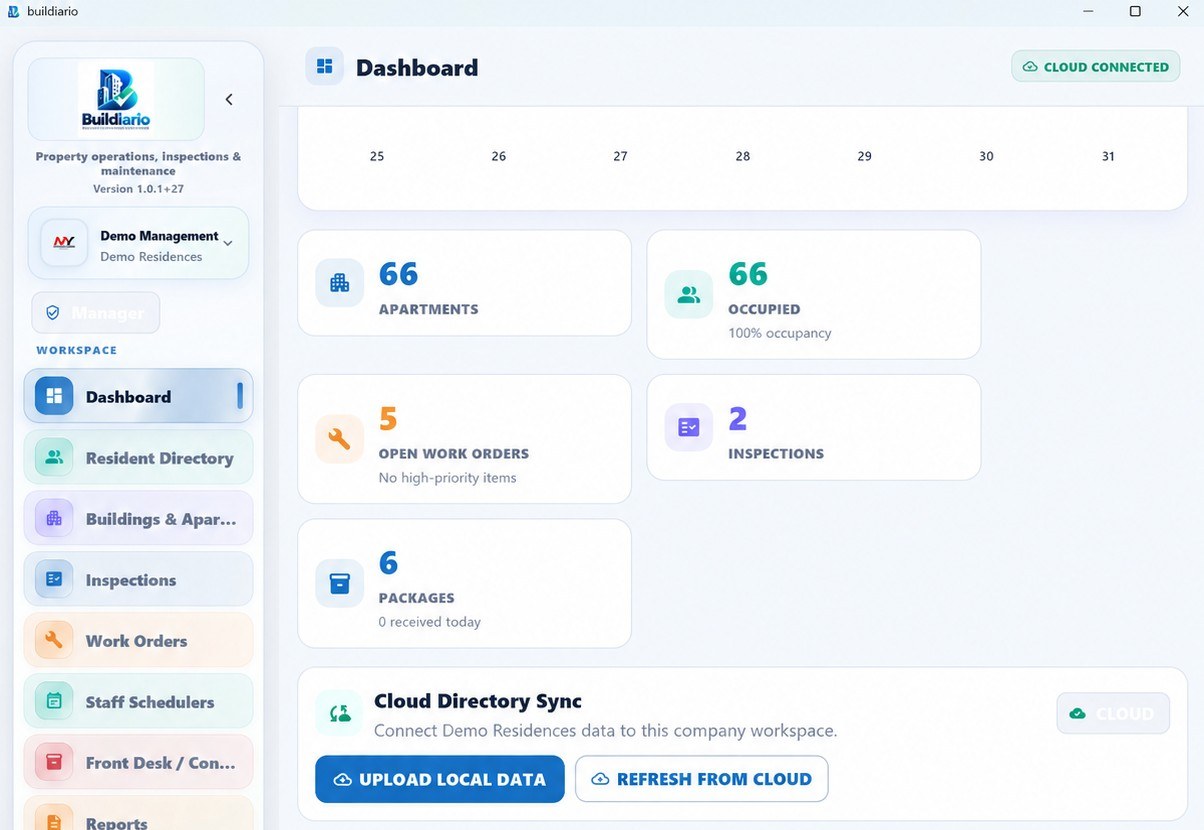
See the entire property, clearly.
Turn a busy building into an organized daily workflow. From resident directories to staff scheduling, inspections, maintenance and reporting, the essentials sit together in one workspace.
- Property and apartment oversight
- Assign and monitor work orders
- Inspect units and common areas
- Manage roles and staff schedules
- Review dashboards and reports
- Maintain operational records
FRONT DESK OPERATIONS
Every arrival, request and handoff in order.
Give the lobby a focused workflow for package intake, resident lookup and service requests, with the information that matters to your front desk.
- Package logging and carrier tracking
- Resident directory access
- Service request intake
- Front desk activity records
- Barcode scanning where supported
- Daily handoffs and follow-ups
MAINTENANCE WORKSPACE
From new request to completed work.
Keep day-to-day maintenance moving with assigned requests, inspections, inventory and a clear record of what was performed.
- Open and update work orders
- Apartment condition inspections
- Common-area checks
- Equipment and supply inventories
- Photographic documentation
- Completion history and reporting
RESIDENT EXPERIENCE
One simpler way to stay connected.
Residents with authorized portal access can report maintenance problems and follow the services enabled by their property team, without needing to call the office for every update.
- Submit maintenance requests
- Follow available request status
- View eligible package notifications
- Access a resident-specific portal
- Use approved invitations
- Contact the property when needed
A familiar interface. More control.
These are real screens from the Buildiario application—navigate the same types of tools in your property workspace.
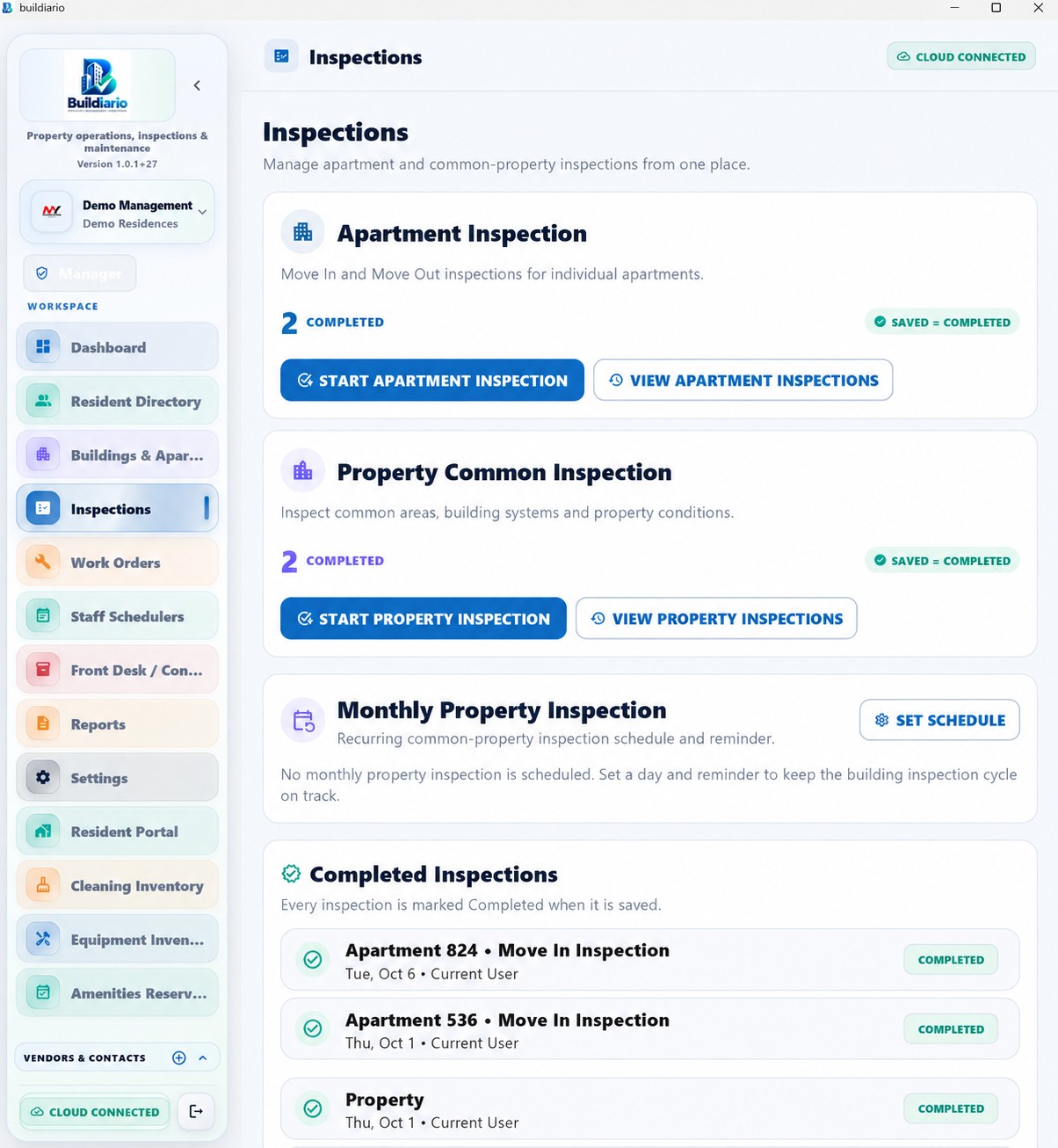
Keep better records
Document move-in, move-out and property conditions in one place.
See how it works →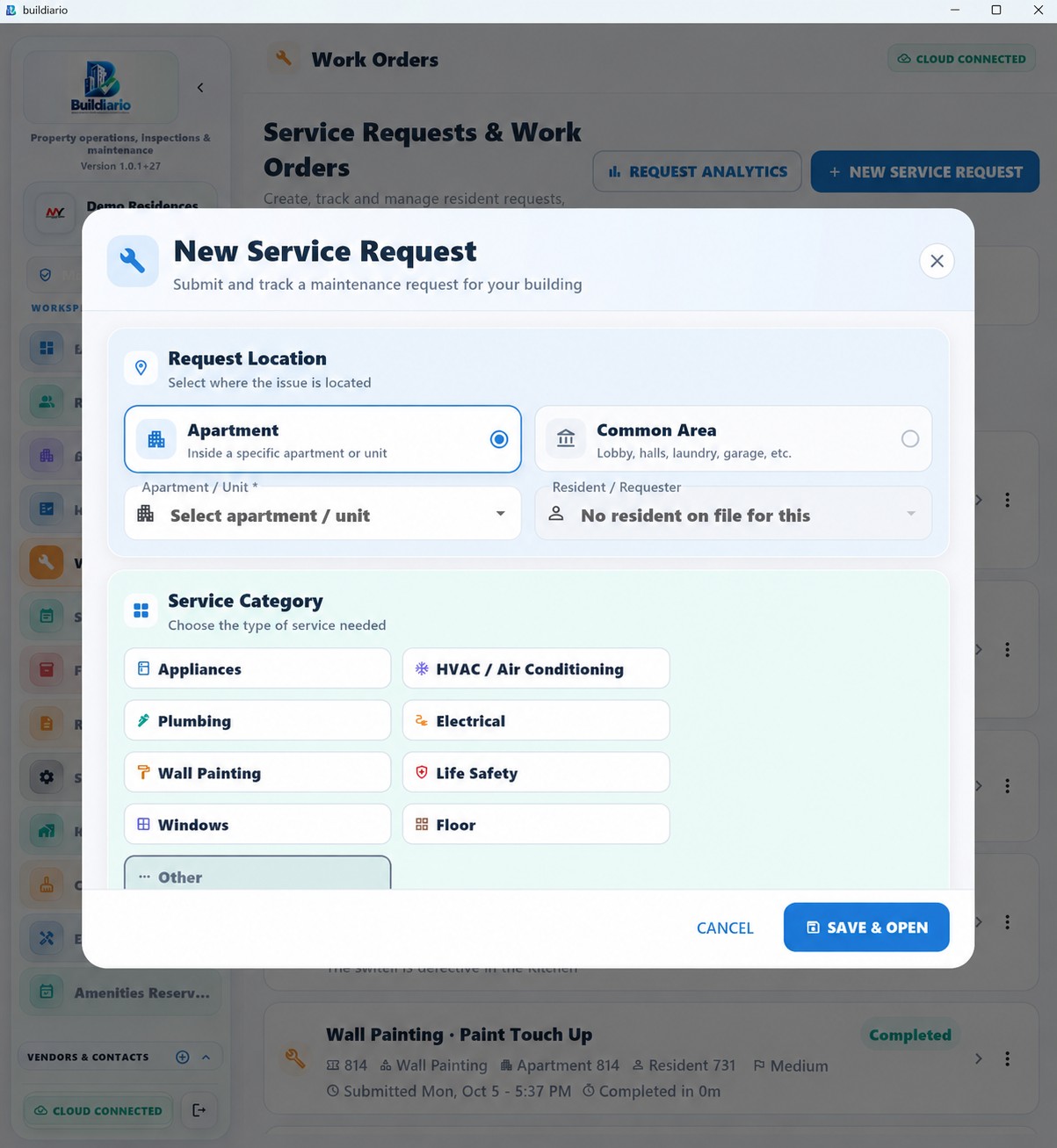
Make requests actionable
Open, assign, track and close work orders with clearer accountability.
See how it works →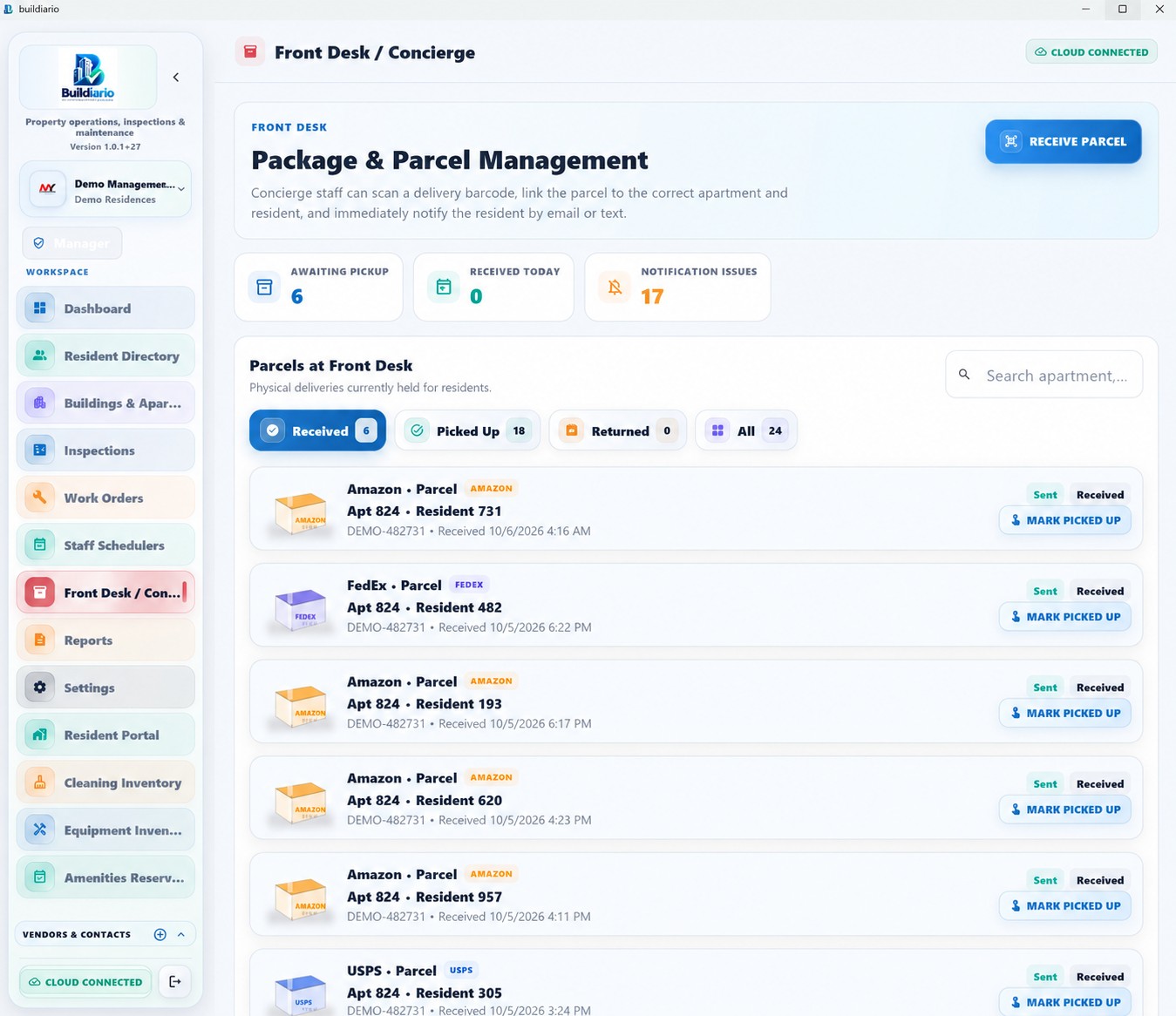
A smoother front desk
Coordinate package intake, resident communication and desk activity.
See how it works →FROM YOUR FIRST LOGIN TO YOUR DAILY ROUTINE
A clear path to an organized property.
Create your workspace
Register or sign into an organization, confirm your email and complete the initial company details.
Set up the building
Add properties and units, then organize resident and team records with appropriate access.
Connect daily operations
Start work orders, inspections, package logs and staff schedules in their own workflows.
Review and improve
Check what is open, what is completed and what needs attention using reports and dashboards.
Getting started shouldn't require a manual.
Take a practical onboarding tour that adapts to your role, then follow an actionable checklist for your first property.
Interactive training with a checklist you can take back to Buildiario.